This documentation is available as Markdown for AI agents and LLMs. See the full Markdown index or append .md to any documentation URL.
ModalBottomSheet
一个 Jetpack Compose ModalBottomSheet 组件,从屏幕底部展示内容。
有关跨平台使用,请参见通用的
BottomSheet—— 它会为每个平台渲染相应的原生组件。
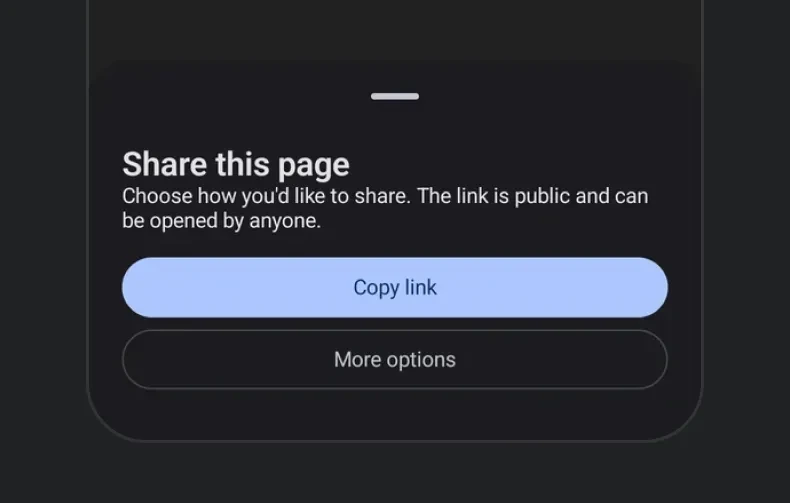
Expo UI ModalBottomSheet 与官方 Jetpack Compose Bottom Sheet API 保持一致,并以从底部向上滑出的模态面板形式显示内容。

安装
If you are installing this in an existing React Native app, make sure to install expo in your project.
用法
基础底部弹窗
使用 ref.hide() 可以在卸载之前通过动画以编程方式关闭弹窗。
跳过部分展开状态
设置 skipPartiallyExpanded 后,弹窗会直接以完全展开状态打开,而不是先停在半高位置。
初始完全展开状态
当 initialFullyExpanded 为 true 时,弹窗在首次组合时会直接以完全展开状态打开,同时仍可进入部分展开状态。与 skipPartiallyExpanded 不同,用户仍然可以向下拖动到部分展开状态。partialExpand() 方法也仍然可用。
自定义颜色
使用 containerColor、contentColor 和 scrimColor 自定义弹窗外观。
自定义拖拽把手
使用 ModalBottomSheet.DragHandle 插槽提供自定义拖拽把手,或者设置 showDragHandle={false} 将其完全隐藏。
底部弹窗中的 React Native 内容
使用 RNHostView 可以在 Compose 底部弹窗中嵌入可交互的 React Native 视图。这让你可以将 Compose 布局与 Pressable 和 Text 等 RN 组件混合使用。
带弹性布局的 React Native 内容
不使用 matchContents 而使用 RNHostView,可以让 RN 视图填充弹窗内的剩余空间。配合父级 Column 上固定的 height 修饰符来控制弹窗大小。
可滚动的 React Native 内容
在弹窗内通过 RNHostView 嵌套可滚动的 React Native 列表,例如 FlatList、ScrollView,或者像 FlashList 或 Legend List 这样的高性能列表。将 nestedScrollEnabled 设置到可滚动组件上,使其优先滚动自身内容。滚动到顶部边缘后,剩余的拖动会移动弹窗。若不设置 nestedScrollEnabled,列表会吞掉手势,弹窗将保持不动。
不可关闭的弹窗
结合 properties 和 sheetGesturesEnabled 可以创建只能通过编程方式关闭的弹窗。
API
import { ModalBottomSheet } from '@expo/ui/jetpack-compose';
Constants
Props
ReactNodeThe children of the ModalBottomSheet component.
Can include a ModalBottomSheet.DragHandle slot for a custom drag handle.
ColorValueThe preferred color of the content inside the bottom sheet.
boolean • Default: falseOpens the sheet fully expanded on first composition. Ignored when skipPartiallyExpanded is true.
() => voidCallback function that is called when the user dismisses the bottom sheet (via swipe, back press, or tapping outside the scrim).
ModalBottomSheetPropertiesProperties for the modal window behavior.
Ref<ModalBottomSheetRef>Can be used to imperatively hide the bottom sheet with an animation.
boolean • Default: trueWhether gestures (swipe to dismiss) are enabled on the bottom sheet.
boolean • Default: trueWhether to show the default drag handle at the top of the bottom sheet.
Ignored if a custom ModalBottomSheet.DragHandle slot is provided.