Reference version

分区

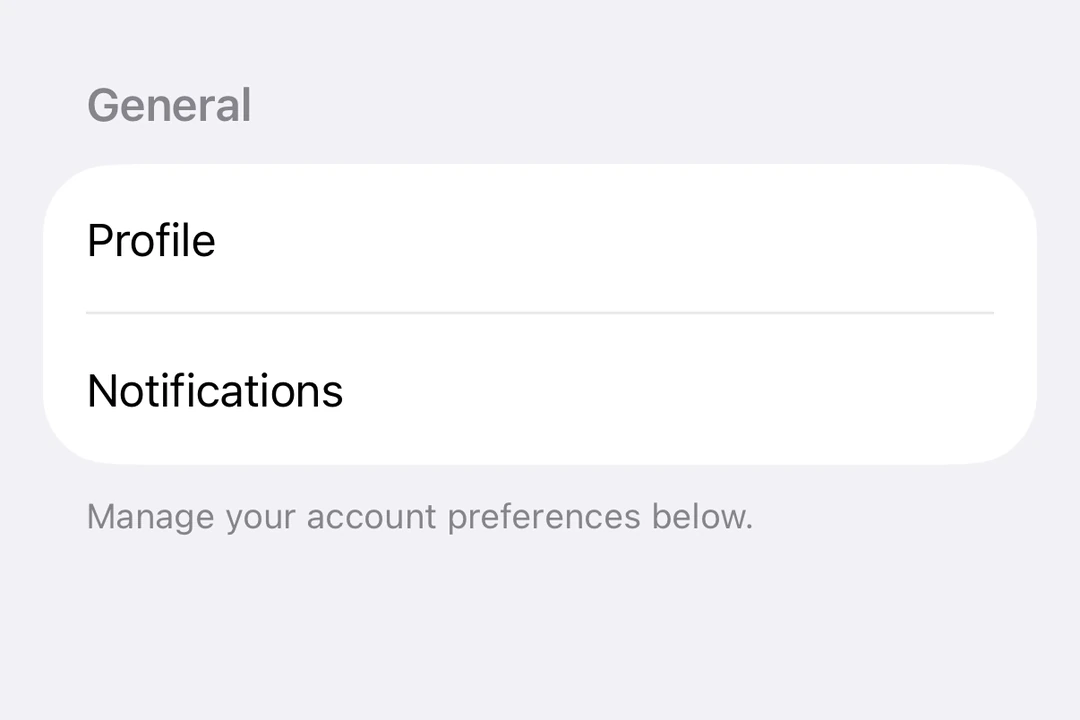
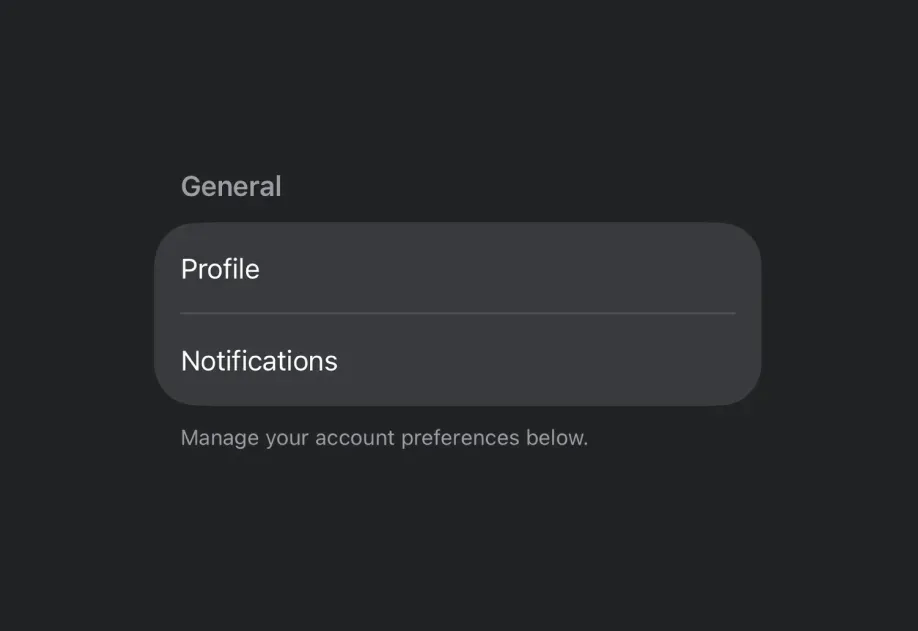
一个用于在列表和表单中对内容进行分组的 SwiftUI 分区组件。

iOS
tvOS
Bundled version:
~55.0.0-beta.0

For the complete documentation index, see llms.txt. Use this Use this file to discover all available pages.

Expo UI Section 与官方 SwiftUI Section API 保持一致,用于在 ListFormPicker 组件中对相关内容进行分组。

安装

Terminal
npx expo install @expo/ui

If you are installing this in an existing React Native app, make sure to install expo in your project.

用法

带标题的基础分区

对简单分区使用 title 属性,显示一个带文本标题的区域。

BasicSectionExample.tsx
import { Host, List, Section, Text } from '@expo/ui/swift-ui'; export default function BasicSectionExample() { return ( <Host style={{ flex: 1 }}> <List> <Section title="设置"> <Text>通用</Text> <Text>隐私</Text> <Text>通知</Text> </Section> </List> </Host> ); }

带自定义页眉和页脚的分区

对自定义视图使用 headerfooter 属性。这些属性仅在未提供 title 时使用。

CustomHeaderFooterExample.tsx
import { Host, List, Section, Toggle, Text, HStack, Image } from '@expo/ui/swift-ui'; import { useState } from 'react'; export default function CustomHeaderFooterExample() { const [locationEnabled, setLocationEnabled] = useState(false); return ( <Host style={{ flex: 1 }}> <List> <Section header={ <HStack> <Image systemName="location.fill" color="blue" size={16} /> <Text>位置服务</Text> </HStack> } footer={ <Text> 启用位置服务可让应用提供个性化推荐。 </Text> }> <Toggle label="启用位置" isOn={locationEnabled} onIsOnChange={setLocationEnabled} /> </Section> </List> </Host> ); }

可折叠分区

使用 isExpanded 属性控制分区是展开还是折叠。提供该属性时,分区会变为可折叠。使用 onIsExpandedChange 处理状态变化。

注意: 可折叠分区需要 iOS 17+ 和 tvOS 17+,并且列表必须使用 sidebar 样式。可折叠分区不支持 footer。

CollapsibleSectionExample.tsx
import { useState } from 'react'; import { Host, List, Section, Text } from '@expo/ui/swift-ui'; export default function CollapsibleSectionExample() { const [favoritesExpanded, setFavoritesExpanded] = useState(false); const [recentsExpanded, setRecentsExpanded] = useState(false); return ( <Host style={{ flex: 1 }}> <List listStyle="sidebar"> <Section title="收藏" isExpanded={favoritesExpanded} onIsExpandedChange={setFavoritesExpanded}> <Text>首页</Text> <Text>工作</Text> <Text>健身房</Text> </Section> <Section title="最近" isExpanded={recentsExpanded} onIsExpandedChange={setRecentsExpanded}> <Text>咖啡店</Text> <Text>图书馆</Text> <Text>公园</Text> </Section> </List> </Host> ); }

表单中的多个分区

分区可在 Form 组件中使用,用于将表单控件组织为逻辑组。

FormSectionsExample.tsx
import { useState } from 'react'; import { Host, Form, Section, Toggle, Picker, Text, Button } from '@expo/ui/swift-ui'; import { pickerStyle, tag } from '@expo/ui/swift-ui/modifiers'; export default function FormSectionsExample() { const [darkMode, setDarkMode] = useState(false); const [notifications, setNotifications] = useState(true); const [language, setLanguage] = useState(0); const languages = ['English', 'Spanish', 'French', 'German']; return ( <Host style={{ flex: 1 }}> <Form> <Section title="外观"> <Toggle label="深色模式" isOn={darkMode} onIsOnChange={setDarkMode} /> <Picker label="语言" selection={language} onSelectionChange={setLanguage} modifiers={[pickerStyle('menu')]}> {languages.map((lang, index) => ( <Text key={index} modifiers={[tag(index)]}> {lang} </Text> ))} </Picker> </Section> <Section title="通知"> <Toggle label="推送通知" isOn={notifications} onIsOnChange={setNotifications} /> </Section> <Section title="账户"> <Button label="退出登录" role="destructive" onPress={() => alert('已退出登录')} /> </Section> </Form> </Host> ); }

API

import { Section } from '@expo/ui/swift-ui';

Component

Section

iOS
tvOS

Type: React.Element<SectionProps>

Section component uses the native Section component.

SectionProps

children

iOS
tvOS
Type: React.ReactNode

The content of the section.

iOS
tvOS
Optional • Type: React.ReactNode

Sets a custom footer for the section.

iOS
tvOS
Optional • Type: React.ReactNode

Sets a custom header for the section.

isExpanded

iOS 17.0+
tvOS 17.0+
Optional • Type: boolean

Controls whether the section is expanded or collapsed. When provided, the section becomes collapsible.

Note: Available only when the list style is set to sidebar.

onIsExpandedChange

iOS 17.0+
tvOS 17.0+
Optional • Type: (isExpanded: boolean) => void

Callback triggered when the section's expanded state changes.

title

iOS
tvOS
Optional • Type: string

The title of the section.