This documentation is available as Markdown for AI agents and LLMs. See the full Markdown index or append .md to any documentation URL.
Expo 小组件
一个使用 Expo UI 组件构建 iOS 主屏幕小组件和实时活动的库。
重要 此库无法在 Expo Go 应用中使用——请使用开发构建来试用它。
expo-widgets 可使用 Expo UI 组件创建 iOS 主屏幕小组件和 Live Activities,无需编写原生代码。它提供了一个简单的 API,用于创建和更新小组件时间线,以及启动和管理 Live Activities。你可以使用 expo/ui 组件和修饰符构建布局。
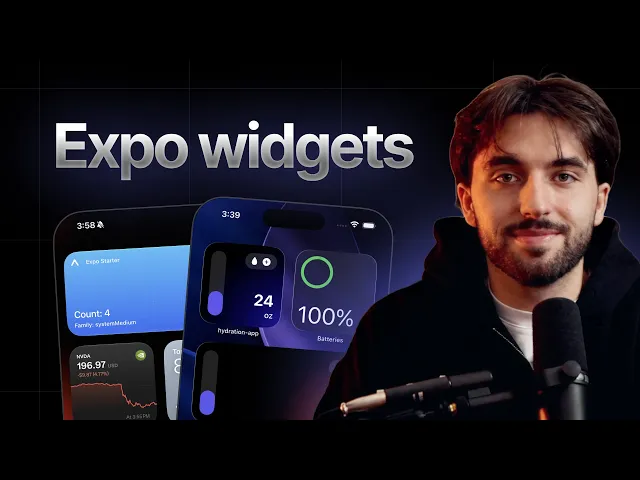
使用 expo-widgets 和 TypeScript 构建原生 iOS 主屏幕小组件。
已知限制
- 频繁更新 Live Activity。 要提高频繁推送更新的预算,请在 Info.plist 中将
NSSupportsLiveActivitiesFrequentUpdates设为true。系统仍可能会限制更新频率,用户也可以在“设置”中关闭频繁更新。 - 小组件运行时。
'widget'标记组件中的代码在隔离的运行时中运行,且只能使用@expo/ui/swift-ui组件,不能使用 React hooks、应用状态或异步操作。请参阅「'widget'指令。
安装
If you are installing this in an existing React Native app, make sure to install expo in your project.
The with-widgets example comes with expo-widgets already installed and configured:
在 app 配置中进行配置
如果你在项目中使用 config plugins(Continuous Native Generation (CNG)),你可以使用 expo-widgets 内置的 config plugin 进行配置。该插件允许你配置各种无法在运行时设置、且需要重新构建新的应用二进制文件后才会生效的属性。
Example app.json with config plugin
Configurable properties
顶层的
supportedFamilies和contentMarginsDisabled选项是ios.supportedFamilies和ios.contentMarginsDisabled的弃用别名。建议使用上文所示的嵌套ios格式。
包含所有选项的完整示例
用法
'widget' 指令
传递给 createWidget 和 createLiveActivity 的组件必须以 'widget' 指令开头。此指令会告知打包工具将该组件编译为单独的 JavaScript bundle,在小组件扩展内部的隔离运行时中运行,而不是在应用的 React Native 运行时中运行。
由于这种隔离,'widget' 标记组件中的代码受到以下限制:
- 只能渲染
@expo/ui/swift-ui组件和修饰符。标准 React Native 组件(例如来自react-native的View和Text)不可用。 - 不能使用 React hooks(
useState、useEffect等)、组件状态或上下文。函数必须是纯函数,并同步返回布局。 - 不能执行异步操作、导入其他模块,也不能访问应用的运行时或内存状态。
- 不能引用组件函数外声明的任何内容,包括同一文件中的普通顶层
const。打包工具只会序列化函数体,因此模块作用域中的值在运行时并不存在。请在小组件函数内部声明所有常量和辅助函数,或通过 props 传入。
小组件所需的所有数据都必须通过 props(使用 updateSnapshot、updateTimeline 或 Live Activity 的 start 和 update 设置)和 environment 参数传入。若要使用图像,请在应用中将图像写入 widgetsDirectory,并在小组件中通过路径引用。
import { Text } from '@expo/ui/swift-ui';
import { createWidget, type WidgetEnvironment } from 'expo-widgets';

// 在模块作用域声明 — 不会包含在小组件 bundle 中。
const CITY_NAMES: Record<string, string> = { sf: 'San Francisco' };

const CityWidget = (props: object, environment: WidgetEnvironment<{ city: string }>) => {
  'widget';
  // 运行时抛出错误:Can't find variable: CITY_NAMES
  return <Text>{CITY_NAMES[environment.configuration.city]}</Text>;
};

export default createWidget('CityWidget', CityWidget);
将 CITY_NAMES 移至 CityWidget 内部(或通过 props 传入解析后的值)即可修复问题。
小组件
前提条件:创建小组件
首先使用 createWidget 函数创建一个小组件,并传入带有 'widget' 指令标记的小组件组件。该组件会将小组件 props 作为第一个参数接收,并将 WidgetEnvironment 对象作为第二个参数接收。
import { Text, VStack } from '@expo/ui/swift-ui';
import { font, foregroundStyle } from '@expo/ui/swift-ui/modifiers';
import { createWidget, type WidgetEnvironment } from 'expo-widgets';

type MyWidgetProps = {
  count: number;
};

const MyWidget = (props: MyWidgetProps, environment: WidgetEnvironment) => {
  'widget';
  return (
    <VStack>
      <Text modifiers={[font({ weight: 'bold', size: 16 }), foregroundStyle('#000000')]}>
        数量:{props.count}
      </Text>
      <Text>家族:{environment.widgetFamily}</Text>
    </VStack>
  );
};

export default createWidget('MyWidget', MyWidget);
小组件名称('MyWidget')必须与应用配置中小组件配置里的 name 字段一致。
基础小组件
更新小组件的一种有效方式是使用 updateSnapshot 方法。这会创建一个只包含单个条目的小组件时间线,并立即显示。
以下示例接续自创建小组件。
import MyWidget from './MyWidget';

// 更新小组件
MyWidget.updateSnapshot({ count: 5 });
时间线小组件
使用 updateTimeline 方法可将小组件更新安排在特定时间。系统会根据时间线自动更新小组件。
以下示例接续自创建小组件。
import MyWidget from './MyWidget';

MyWidget.updateTimeline([
  { date: new Date(), props: { count: 1 } },
  { date: new Date(Date.now() + 3600000), props: { count: 2 } }, // 距现在 1 小时
  { date: new Date(Date.now() + 7200000), props: { count: 3 } }, // 距现在 2 小时
  { date: new Date(Date.now() + 10800000), props: { count: 4 } }, // 距现在 3 小时
]);
读取当前时间线
使用 getTimeline 可读取当前为小组件安排的条目,包括过去和未来的条目。
import MyWidget from './MyWidget';

const entries = await MyWidget.getTimeline();
// [{ date: Date, props: { count: number } }, ...]
重新加载小组件
使用 reload 可强制系统立即刷新小组件内容和时间线,例如在底层数据发生变化后。
import MyWidget from './MyWidget';

MyWidget.reload();
自适应小组件
使用 environment 参数可根据当前小组件尺寸和渲染上下文调整布局。
import { HStack, Text, VStack } from '@expo/ui/swift-ui';
import { createWidget, type WidgetEnvironment } from 'expo-widgets';

type WeatherWidgetProps = {
  temperature: number;
  condition: string;
};

const WeatherWidget = (props: WeatherWidgetProps, environment: WidgetEnvironment) => {
  'widget';
  // 根据尺寸渲染不同布局
  if (environment.widgetFamily === 'systemSmall') {
    return (
      <VStack>
        <Text>{props.temperature}°</Text>
      </VStack>
    );
  }

  if (environment.widgetFamily === 'systemMedium') {
    return (
      <HStack>
        <Text>{props.temperature}°</Text>
        <Text>{props.condition}</Text>
      </HStack>
    );
  }

  // systemLarge 及其他
  return (
    <VStack>
      <Text>温度:{props.temperature}°</Text>
      <Text>天气:{props.condition}</Text>
      <Text>更新于:{environment.date.toLocaleTimeString()}</Text>
    </VStack>
  );
};

const Widget = createWidget('WeatherWidget', WeatherWidget);
export default Widget;

Widget.updateSnapshot({
  temperature: 72,
  condition: 'Sunny',
});
根据渲染环境进行适配
除了 widgetFamily 和 date,environment 对象还会描述系统绘制小组件的方式和位置,以便你调整布局:
colorScheme:'light'或'dark'。widgetRenderingMode:主屏幕小组件为'fullColor',锁屏小组件为'vibrant'(系统会降低其饱和度,呈现自适应的单色外观),iOS 18 及更高版本上的着色小组件为'accented'。可据此选择在各模式下清晰易读的颜色。isLuminanceReduced:当显示屏需要降低亮度时(例如“始终显示”模式)为true。请降低内容的整体亮度,例如使用描边形状,而非填充形状。widgetContentMargins:未禁用内容边距时,系统建议的边距(top、bottom、leading、trailing)。showsWidgetLabel:对于配件小组件,表示是否可以显示配件标签。
交互式小组件
小组件可以包含 Button 等交互控件。按钮的 onPress 回调返回的值会成为小组件的新 props。运行时会持久化该值,并在设备上重新加载小组件,无需运行中的应用进程。这是让小组件响应点按并自行更新的主要方式。交互式小组件需要 iOS 17 或更高版本。
在应用中使用 CounterWidget.updateSnapshot({ count: 0 }) 初始化小组件。
若还要让运行中的应用与小组件交互保持同步,请为控件指定 target 标识符(如上所示),并使用 addUserInteractionListener 监听点按事件。监听器会接收小组件的 name 作为 source,以及控件的 target。与 onPress 不同,它仅在应用进程处于运行状态时触发,因此应使用它将交互镜像到应用状态中,而不要将其用作小组件的更新机制。
使用 widgetsDirectory 共享图像
小组件无法访问应用沙盒中的文件,因此若要在小组件中显示图像,必须将其放在共享的应用组容器中。widgetsDirectory 是一个 file:// URL 字符串,指向应用及其小组件都能读取的目录。请在应用中将图像写入该目录,然后在小组件中通过路径引用。
import { widgetsDirectory } from 'expo-widgets';

// `widgetsDirectory` 是一个与小组件共享的目录的 file:// URL。
console.log(widgetsDirectory);
仅当未配置应用组时,
widgetsDirectory才为null。groupIdentifierconfig plugin 选项会自动设置应用组(默认使用group.<bundle identifier>),因此在常规使用中该目录可用。
可配置小组件
为小组件添加 ios.configuration 后,用户可以长按小组件并编辑其参数。用户选择的值会通过 environment.configuration 传递给小组件。通过向 createWidget(和 WidgetEnvironment)传递第二个类型参数,为配置指定类型。可配置小组件需要 iOS 17 或更高版本。
import { Text, VStack } from '@expo/ui/swift-ui';
import { createWidget, type WidgetEnvironment } from 'expo-widgets';

type WeatherProps = {
  temperature: number;
};

type WeatherConfiguration = {
  city: string;
};

const WeatherWidget = (
  props: WeatherProps,
  environment: WidgetEnvironment<WeatherConfiguration>
) => {
  'widget';
  return (
    <VStack>
      <Text>{environment.configuration.city}</Text>
      <Text>{props.temperature}°</Text>
    </VStack>
  );
};

export default createWidget<WeatherProps, WeatherConfiguration>('WeatherWidget', WeatherWidget);
Live Activities
Live Activities 会在受支持设备的锁定屏幕和灵动岛中显示实时信息。
前提条件:创建 Live Activity
Live Activity 布局必须使用 createLiveActivity 创建一次,并以 'widget' 指令标记。该组件会将 props 作为第一个参数接收,并将 LiveActivityEnvironment 对象作为第二个参数接收。它会返回一个描述各类呈现方式布局的对象:锁定屏幕的 banner、灵动岛的紧凑和最小状态,以及展开后的灵动岛区域。
createLiveActivity会完全在运行时注册 Live Activity,并由库内置的 Live Activity target 负责渲染。不要在应用配置中为它添加widgets[]条目。widgets[]数组仅用于主屏幕和锁屏小组件;如果某个条目没有supportedFamilies,就会生成无效的小组件 target,导致构建失败。传递给createLiveActivity的name只需与此createLiveActivity调用中的名称一致,无需与应用配置中的小组件匹配。
import { Image, Text, VStack } from '@expo/ui/swift-ui';
import { font, foregroundStyle, padding } from '@expo/ui/swift-ui/modifiers';
import { createLiveActivity, type LiveActivityEnvironment } from 'expo-widgets';

type DeliveryActivityProps = {
  etaMinutes: number;
  status: string;
};

const DeliveryActivity = (props: DeliveryActivityProps, environment: LiveActivityEnvironment) => {
  'widget';
  const accentColor = environment.isLuminanceReduced ? '#FFFFFF' : '#007AFF';

  return {
    banner: (
      <VStack modifiers={[padding({ all: 12 })]}>
        <Text modifiers={[font({ weight: 'bold' }), foregroundStyle(accentColor)]}>
          {props.status}
        </Text>
        <Text>预计送达:{props.etaMinutes} 分钟</Text>
      </VStack>
    ),
    compactLeading: <Image systemName="box.truck.fill" color={accentColor} />,
    compactTrailing: <Text>{props.etaMinutes} 分钟</Text>,
    minimal: <Image systemName="box.truck.fill" color={accentColor} />,
    expandedLeading: (
      <VStack modifiers={[padding({ all: 12 })]}>
        <Image systemName="box.truck.fill" color={accentColor} />
        <Text modifiers={[font({ size: 12 })]}>配送中</Text>
      </VStack>
    ),
    expandedTrailing: (
      <VStack modifiers={[padding({ all: 12 })]}>
        <Text modifiers={[font({ weight: 'bold', size: 20 })]}>{props.etaMinutes}</Text>
        <Text modifiers={[font({ size: 12 })]}>分钟</Text>
      </VStack>
    ),
    expandedBottom: (
      <VStack modifiers={[padding({ all: 12 })]}>
        <Text>司机:John Smith</Text>
        <Text>订单 #12345</Text>
      </VStack>
    ),
  };
};

export default createLiveActivity('DeliveryActivity', DeliveryActivity);
布局对象支持以下区域:
banner:锁定屏幕的主要呈现区域。bannerSmall:用于 CarPlay 和 watchOS 的紧凑锁屏呈现方式。省略时会回退到banner。compactLeading、compactTrailing、minimal:灵动岛的紧凑和最小状态。expandedLeading、expandedTrailing、expandedCenter、expandedBottom:展开后的灵动岛区域。
environment 对象还会提供 isLuminanceReduced、isActivityFullscreen、isActivityUpdateReduced 和 activityFamily,以便你根据当前呈现方式调整布局。
启动 Live Activity
以下示例接续自创建 Live Activity。
import { Button, View } from 'react-native';
import DeliveryActivity from './DeliveryActivity';

function App() {
  const startDeliveryTracking = () => {
    // 启动 Live Activity
    const instance = DeliveryActivity.start(
      {
        etaMinutes: 15,
        status: '你的配送正在路上',
      },
      'myapp://deliveries/12345'
    );
    // 存储实例
  };

  return (
    <View style={{ flex: 1, justifyContent: 'center', alignItems: 'center' }}>
      <Button title="开始配送跟踪" onPress={startDeliveryTracking} />
    </View>
  );
}
export default App;
可选的第二个参数是与 Live Activity 关联的 URL。当用户点击该活动时,系统会使用该 URL 打开你的应用,因此你可以使用 linking 将其路由到相关页面(例如使用 Expo Router 的深层链接)。
更新 Live Activity
下面的示例承接自 启动 Live Activity。
import { LiveActivity } from 'expo-widgets';

function updateDelivery(instance: LiveActivity<DeliveryActivityProps>) {
  instance.update({
    etaMinutes: 2,
    status: '配送即将送达!',
  });
}
恢复活跃的 Live Activity
Live Activity 的生命周期可能超过启动它的应用进程。使用工厂上的 getInstances 获取当前处于活跃状态的该类型活动,例如在应用重新启动后更新或结束这些活动。
import DeliveryActivity from './DeliveryActivity';

const activeInstances = DeliveryActivity.getInstances();

for (const instance of activeInstances) {
  await instance.update({ etaMinutes: 5, status: 'Almost there' });
}
结束 Live Activity
使用 end 来结束 Live Activity。你可以选择关闭策略,按需提供最终内容状态,并传入 contentDate,以便系统忽略过时更新。
import { after, type LiveActivity } from 'expo-widgets';

async function completeDelivery(instance: LiveActivity<DeliveryActivityProps>) {
  await instance.end(
    after(new Date(Date.now() + 15 * 60 * 1000)),
    {
      etaMinutes: 0,
      status: '已送达',
    },
    new Date()
  );
}
你也可以在关闭策略中使用 'default' 或 'immediate',替代 after(date)。
使用推送通知进行远程更新
当 enablePushNotifications 为 true 时,你可以通过 Apple Push Notification service(APNs)从服务器远程更新 Live Activity。
- 使用
addPushToStartTokenListener接收应用级的 push-to-start token,该 token 允许你的服务器远程启动 Live Activity(需要 iOS 17.2 或更高版本)。 - 使用
instance.getPushToken()或instance.addPushTokenListener()获取特定运行中 Live Activity 的 token,该 token 允许你的服务器向该活动发送更新。
import { addPushToStartTokenListener } from 'expo-widgets';
import DeliveryActivity from './DeliveryActivity';

const pushToStartSubscription = addPushToStartTokenListener(event => {
  console.log('Push-to-start token:', event.activityPushToStartToken);
});

async function startDeliveryTracking() {
  const instance = DeliveryActivity.start({
    etaMinutes: 15,
    status: '你的配送正在路上',
  });

  const pushToken = await instance.getPushToken();
  console.log('按活动 token:', pushToken);

  const subscription = instance.addPushTokenListener(event => {
    console.log('更新后的 push token:', event.activityId, event.pushToken);
  });

  // 以后,当你不再需要更新时:
  subscription.remove();
}

// 以后,当你不再需要更新时:
pushToStartSubscription.remove();
将 token 发送到你的服务器,并使用它来推送更新。通知必须使用 liveactivity 推送类型(apns-push-type 标头),并将 apns-topic 设置为 <your bundle identifier>.push-type.liveactivity。其 aps payload 包含一个 event(start、update 或 end)、一个 timestamp,以及与活动 props 匹配的 content-state。content-state 必须与 expo-widgets 使用的内部内容状态匹配:将 name 设置为你传递给 createLiveActivity 的名称,并将 props 设置为该活动 props 的 JSON 字符串。立即更新使用 apns-priority: 10,低优先级更新使用 apns-priority: 5。timestamp、dismissal-date 以及其他 APNs 日期字段均为以秒为单位的 Unix 时间戳。
要远程启动 Live Activity,请向 push-to-start token 发送 start 事件:
{
  "aps": {
    "timestamp": 1778832000,
    "event": "start",
    "attributes-type": "LiveActivityAttributes",
    "attributes": {},
    "content-state": {
      "name": "DeliveryActivity",
      "props": "{\"etaMinutes\":15,\"status\":\"Your delivery is on the way\"}"
    },
    "alert": {
      "title": "Delivery started",
      "body": "Your delivery is on the way"
    }
  }
}
远程启动需要 iOS 17.2 或更高版本。在 iOS 18 或更高版本上,如果希望 APNs 为后续更新提供新的活动级 token,请在 aps payload 中包含 input-push-token: 1。
要远程更新 Live Activity,请向该活动的活动级 token 发送 update 事件:
{
  "aps": {
    "timestamp": 1778832300,
    "event": "update",
    "content-state": {
      "name": "DeliveryActivity",
      "props": "{\"etaMinutes\":2,\"status\":\"Delivery arriving soon!\"}"
    }
  }
}
要远程结束 Live Activity,请使用最终内容状态发送 end 事件:
{
  "aps": {
    "timestamp": 1778832600,
    "event": "end",
    "content-state": {
      "name": "DeliveryActivity",
      "props": "{\"etaMinutes\":0,\"status\":\"Delivered\"}"
    },
    "dismissal-date": 1778833200
  }
}
有关确切的 payload 结构和标头,请参阅 Apple 的 使用 ActivityKit 推送通知启动和更新 Live Activity。
API
import { createWidget, createLiveActivity } from 'expo-widgets';
Constants
Type: string
A directory that can be used to store shared images for widgets. The contents of this directory are accessible by both the main app and widgets.
Classes
Represents a Live Activity instance. Provides methods to update its content and end it.
LiveActivity Methods
Adds a listener for push token update events on this Live Activity instance. The token can be used to send content updates to this specific activity via APNs.
EventSubscriptionAn event subscription that can be used to remove the listener.
Returns the push token for this Live Activity, used to send push notification updates via APNs.
Returns null if push notifications are not enabled or the token is not yet available.
Promise<string | null>Updates the Live Activity's content. The UI reflects the new properties immediately.
Promise<void>Manages Live Activity instances of a specific type. Use it to start new activities and retrieve currently active ones.
LiveActivityFactory Methods
Returns all currently active instances of this Live Activity type.
LiveActivity[]Starts a new Live Activity with the given properties.
LiveActivity<T>The new Live Activity instance.
Represents a widget instance. Provides methods to manage the widget's timeline.
Widget Methods
Returns the current timeline entries for the widget, including past and future entries.
Promise<WidgetTimelineEntry[]>Sets the widget's content to the given props immediately, without scheduling a timeline.
voidMethods
Creates a Live Activity Factory for managing Live Activities of a specific type.
LiveActivityFactory<T>Event subscriptions
Adds a listener for push-to-start token events. This token can be used to start live activities remotely via APNs.
EventSubscriptionAn event subscription that can be used to remove the listener.
Adds a listener for widget interaction events (for example, button taps).
EventSubscriptionAn event subscription that can be used to remove the listener.
Types
Literal type: string
The level of detail the view is recommended to have. The system can update the levelOfDetail value based on user proximity or other system specific factors and allow content customization adapting to show different levels of details.
simplified— The system recommends showing a simplified view with less details.default— The system has no specific recommendation for the level of detail.
Acceptable values are: 'simplified' | 'default'
A function that returns the layout for a Live Activity.
Literal type: union
Dismissal policy for ending a live activity.
'default'- The system’s default dismissal policy for the Live Activity.'immediate'- The system immediately removes the Live Activity that ended.after(date)- The system removes the Live Activity that ended at the specified time within a four-hour window.
Acceptable values are: 'default' | 'immediate' | ReturnType<after>
Literal type: string
The widget family (size).
systemSmall- Small square widget (2x2 grid).systemMedium- Medium widget (4x2 grid).systemLarge- Large widget (4x4 grid).systemExtraLarge- Extra large widget (iPad only, 6x4 grid).accessoryCircular- Circular accessory widget for the Lock Screen.accessoryRectangular- Rectangular accessory widget for the Lock Screen.accessoryInline- Inline accessory widget for the Lock Screen.
Acceptable values are: 'systemSmall' | 'systemMedium' | 'systemLarge' | 'systemExtraLarge' | 'accessoryCircular' | 'accessoryRectangular' | 'accessoryInline'
Literal type: string
The rendering mode of the widget as provided by WidgetKit.
fullColor— Home screen widgets (default).accented— Tinted widgets (iOS 18+) and watchOS.vibrant— Lock screen widgets.
Acceptable values are: 'fullColor' | 'accented' | 'vibrant'