Reference version

This documentation is available as Markdown for AI agents and LLMs. See the full Markdown index or append .md to any documentation URL.

Spacer

一个 Jetpack Compose Spacer 组件,用于在元素之间添加灵活的间距。

Android
Included in Expo Go
Recommended version:
~58.0.1

Expo UI Spacer 与官方 Jetpack Compose Spacer API 相匹配,用于在布局中的元素之间添加灵活或固定大小的间距。
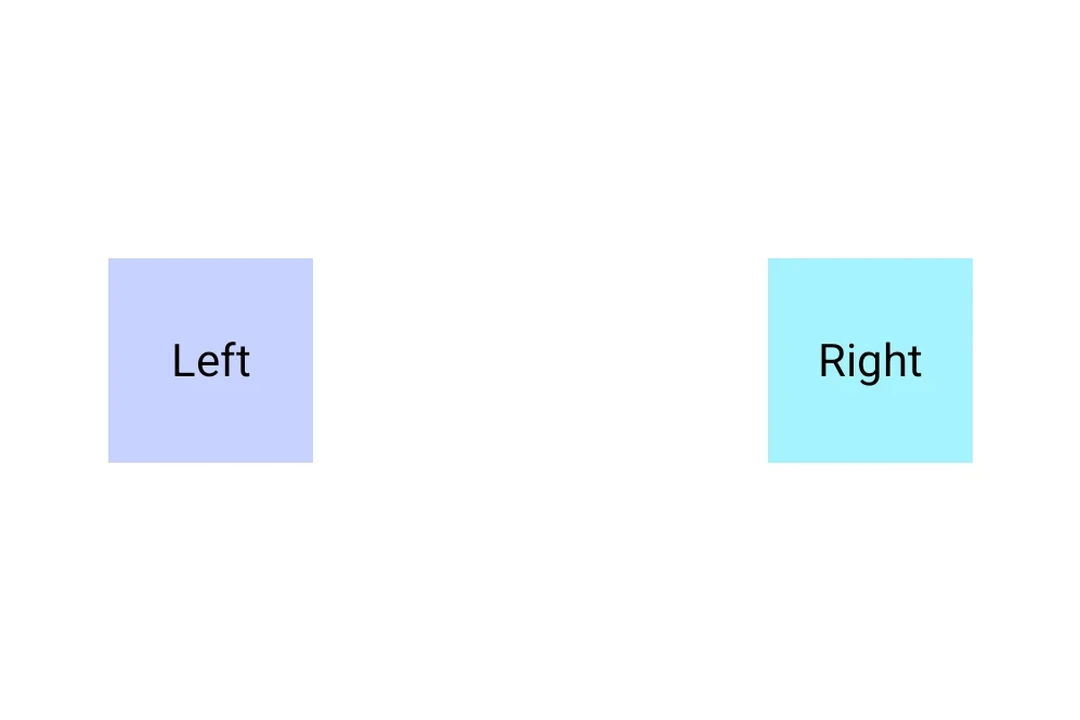
两个方框被带有 weight 修饰符的 Spacer 推向 Row 的两端两个方框被带有 weight 修饰符的 Spacer 推向 Row 的两端

安装

Terminal
- npx expo install @expo/ui
- yarn expo install @expo/ui
- pnpm expo install @expo/ui
- bun expo install @expo/ui

If you are installing this in an existing React Native app, make sure to install expo in your project.

用法

带权重的 Spacer

使用 weight() 修饰符,使 spacer 在 Row 或 Column 中按比例填充可用空间。

SpacerWeightExample.tsx
import { Host, Row, Spacer, Text, useMaterialColors, } from '@expo/ui/jetpack-compose'; import { fillMaxWidth, weight, } from '@expo/ui/jetpack-compose/modifiers'; export default function SpacerWeightExample() { const colors = useMaterialColors(); return ( <Host matchContents={{ vertical: true }} style={{ width: '100%' }}> <Row modifiers={[fillMaxWidth()]}> <Text style={{ fontSize: 28 }} color={colors.onBackground}> Left </Text> <Spacer modifiers={[weight(1)]} /> <Text style={{ fontSize: 28 }} color={colors.onBackground}> Right </Text> </Row> </Host> ); }

固定大小的 Spacer

使用 height 或 width 修饰符来创建具有固定尺寸的 spacer。

SpacerFixedSizeExample.tsx
import { Host, Column, Spacer, Text, useMaterialColors, } from '@expo/ui/jetpack-compose'; import { height } from '@expo/ui/jetpack-compose/modifiers'; export default function SpacerFixedSizeExample() { const colors = useMaterialColors(); return ( <Host matchContents> <Column> <Text style={{ fontSize: 28 }} color={colors.onBackground}> Above </Text> <Spacer modifiers={[height(24)]} /> <Text style={{ fontSize: 28 }} color={colors.onBackground}> Below (24dp gap) </Text> </Column> </Host> ); }

API

import { Spacer } from '@expo/ui/jetpack-compose';

Component

Spacer

Android

Type: React.Element<SpacerProps>

A spacer component that fills available space. Use with the weight() modifier to create flexible spacing in Row or Column layouts.

Example

<Row> <Text>Left</Text> <Spacer modifiers={[weight(1)]} /> <Text>Right</Text> </Row>

SpacerProps

modifiers

Android
Optional • Type: ModifierConfig[]

Modifiers for the component. Use weight() modifier to make the spacer flexible.