Reference version

文本

一个用于显示样式化文本的 Jetpack Compose Text 组件。

Android
Included in Expo Go
Bundled version:
~56.0.6

For the complete documentation index, see llms.txt. Use this file to discover all available pages.

有关跨平台用法,请参阅通用的 Text — 它会根据平台渲染相应的原生组件。

Expo UI Text 与官方 Jetpack Compose 文本样式 API 一致,并使用 Material 3 排版样式、自定义字体和文本格式选项来显示文本。
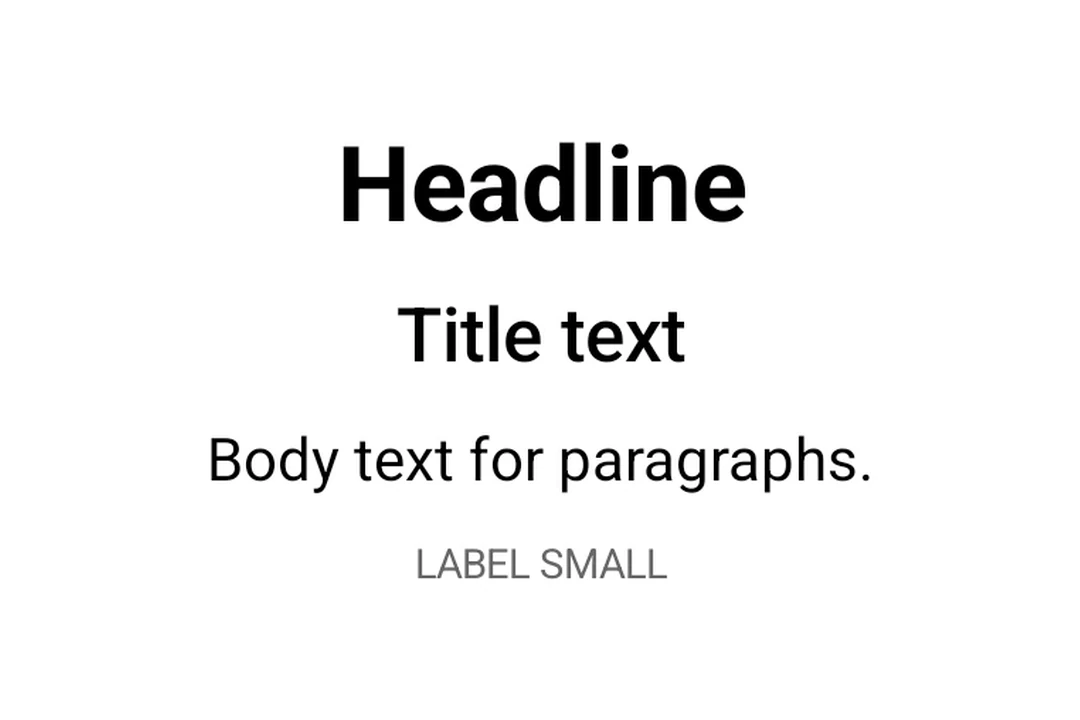
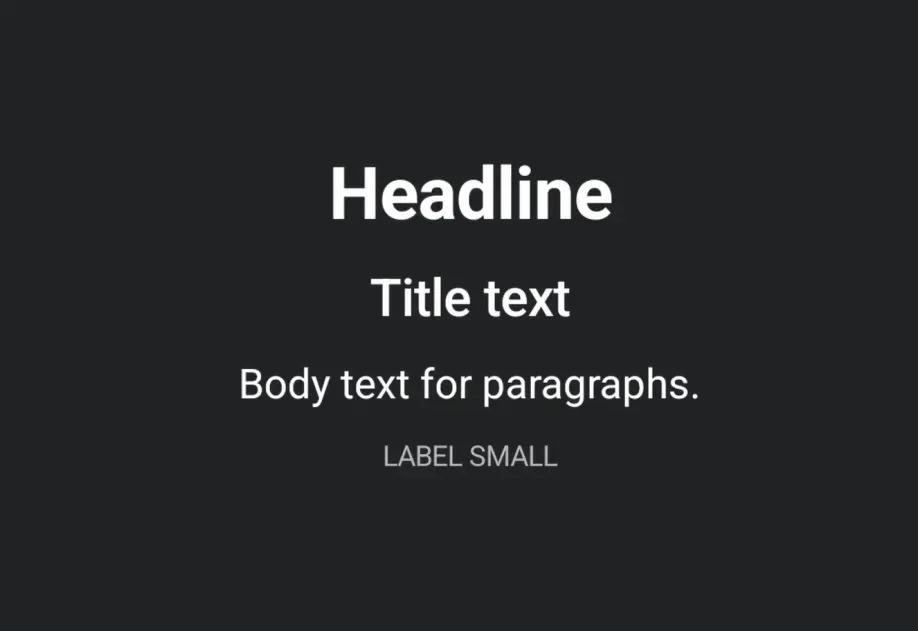
Material 3 排版层级:标题、大标题、正文和标签

安装

Terminal
npx expo install @expo/ui

If you are installing this in an existing React Native app, make sure to install expo in your project.

用法

基本文本

BasicTextExample.tsx
import { Host, Text } from '@expo/ui/jetpack-compose'; export default function BasicTextExample() { return ( <Host matchContents> <Text>你好,世界!</Text> </Host> ); }

排版样式

使用带有 typographystyle 属性来应用 Material 3 排版预设。

TypographyExample.tsx
import { Host, Text, Column } from '@expo/ui/jetpack-compose'; import { paddingAll } from '@expo/ui/jetpack-compose/modifiers'; export default function TypographyExample() { return ( <Host matchContents> <Column modifiers={[paddingAll(16)]}> <Text style={{ typography: 'displayLarge' }}>展示大号</Text> <Text style={{ typography: 'headlineMedium' }}>中号标题</Text> <Text style={{ typography: 'bodySmall' }}>小号正文</Text> <Text style={{ typography: 'labelLarge' }}>大号标签</Text> </Column> </Host> ); }

带有 maxLines 和 overflow 的文本

使用 maxLinesoverflow 控制文本截断。

TextOverflowExample.tsx
import { Host, Text } from '@expo/ui/jetpack-compose'; import { width } from '@expo/ui/jetpack-compose/modifiers'; export default function TextOverflowExample() { return ( <Host matchContents> <Text maxLines={2} overflow="ellipsis" modifiers={[width(200)]}> 这是一段很长的文本,经过两行后将被截断,并在末尾显示省略号,以表示还有更多内容。 </Text> </Host> ); }

样式化文本

应用自定义文本样式,包括字体粗细、样式、大小和装饰。

StyledTextExample.tsx
import { Host, Text, Column } from '@expo/ui/jetpack-compose'; import { paddingAll } from '@expo/ui/jetpack-compose/modifiers'; export default function StyledTextExample() { return ( <Host matchContents> <Column modifiers={[paddingAll(16)]}> <Text style={{ fontWeight: 'bold', fontSize: 20 }}>粗体文本</Text> <Text style={{ fontStyle: 'italic' }}>斜体文本</Text> <Text style={{ textDecoration: 'underline' }}>带下划线的文本</Text> <Text style={{ letterSpacing: 4 }}>字间距加大的文本</Text> <Text color="#E91E63" style={{ fontSize: 18, textAlign: 'center' }}> 彩色且居中 </Text> </Column> </Host> ); }

嵌套文本

嵌套 <Text> 组件以便为句子的部分内容应用行内样式。子 span 会继承其父级的样式。例如,带有粗体父级和斜体子级时,子级会同时呈现粗体和斜体。

NestedTextExample.tsx
import { Host, Text, Column } from '@expo/ui/jetpack-compose'; import { paddingAll } from '@expo/ui/jetpack-compose/modifiers'; export default function NestedTextExample() { return ( <Host matchContents> <Column modifiers={[paddingAll(16)]}> {/* 粗体父级,斜体子级继承粗体 */} <Text style={{ fontWeight: 'bold' }}> 你好 <Text style={{ fontStyle: 'italic' }}>世界</Text></Text> {/* 混合行内样式 */} <Text style={{ fontSize: 16 }}> 正常,<Text style={{ fontStyle: 'italic' }}>斜体</Text>{' '} <Text style={{ fontWeight: 'bold' }}>粗体</Text>,以及{' '} <Text style={{ textDecoration: 'underline' }}>下划线</Text> </Text> {/* 每个 span 的颜色和背景覆盖 */} <Text style={{ fontSize: 18 }}> 点击{' '} <Text color="#007AFF" style={{ fontWeight: 'bold' }}> 这里 </Text>{' '}<Text style={{ background: '#FFEB3B' }}>高亮</Text> </Text> {/* 深层嵌套 — 样式会累积 */} <Text style={{ fontWeight: 'bold' }}> 粗体{' '} <Text style={{ fontStyle: 'italic' }}> 粗体+斜体 <Text style={{ textDecoration: 'underline' }}>粗体+斜体+下划线</Text> </Text> </Text> </Column> </Host> ); }

自定义字体

通过将字体族名称传递给 style.fontFamily,使用通过 expo-font 加载的字体。

CustomFontExample.tsx
import { Host, Text, Column } from '@expo/ui/jetpack-compose'; import { paddingAll } from '@expo/ui/jetpack-compose/modifiers'; export default function CustomFontExample() { return ( <Host matchContents> <Column modifiers={[paddingAll(16)]}> <Text style={{ fontFamily: 'serif', fontSize: 16 }}>系统衬线字体</Text> <Text style={{ fontFamily: 'monospace', fontSize: 16 }}>系统等宽字体</Text> <Text style={{ fontFamily: 'Inter-Bold', fontSize: 16 }}>自定义 Inter 粗体字体</Text> </Column> </Host> ); }

API

import { Text } from '@expo/ui/jetpack-compose';

Component

Text

Android

Type: React.Element<TextProps>

Renders a Text component using Jetpack Compose.

TextProps

children

Android
Optional • Type: React.ReactNode

The text content to display. Can be a string, number, or nested Text components for inline styled spans.

color

Android
Optional • Type: string

The color of the text.

maxLines

Android
Optional • Type: number

An optional maximum number of lines for the text to span, wrapping if necessary. If the text exceeds the given number of lines, it will be truncated according to overflow.

minLines

Android
Optional • Type: number

The minimum height in terms of minimum number of visible lines.

modifiers

Android
Optional • Type: ModifierConfig[]

Modifiers for the component.

overflow

Android
Optional • Type: TextOverflow

How visual overflow should be handled.

softWrap

Android
Optional • Type: boolean

Whether the text should break at soft line breaks. If false, the glyphs in the text will be positioned as if there was unlimited horizontal space.

style

Android
Optional • Type: TextStyle

Style configuration for the text. Corresponds to Jetpack Compose's TextStyle parameter.

Types

TextAlign

Android

Literal Type: string

Text alignment options.

Acceptable values are: 'left' | 'right' | 'center' | 'justify' | 'start' | 'end'

TextDecoration

Android

Literal Type: string

Text decoration options.

Acceptable values are: 'none' | 'underline' | 'lineThrough'

TextFontFamily

Android

Literal Type: string

Font family for text styling. Built-in system families: 'default', 'sansSerif', 'serif', 'monospace', 'cursive'. Custom font families loaded via expo-font can be referenced by name (for example, 'Inter-Bold').

Acceptable values are: 'default' | 'sansSerif' | 'serif' | 'monospace' | 'cursive'

TextFontStyle

Android

Literal Type: string

Font style options for text styling.

Acceptable values are: 'normal' | 'italic'

TextFontWeight

Android

Literal Type: string

Font weight options for text styling.

Acceptable values are: 'normal' | 'bold' | '100' | '200' | '300' | '400' | '500' | '600' | '700' | '800' | '900'

TextLineBreak

Android

Literal Type: string

Line break strategy options.

  • 'simple': Basic line breaking.
  • 'heading': Optimized for short text like headings.
  • 'paragraph': Produces more balanced line lengths for body text.

Acceptable values are: 'simple' | 'heading' | 'paragraph'

TextOverflow

Android

Literal Type: string

Text overflow behavior options.

  • 'clip': Clips the overflowing text to fit its container
  • 'ellipsis': Uses an ellipsis to indicate that the text has overflowed
  • 'visible': Renders overflow text outside its container

Acceptable values are: 'clip' | 'ellipsis' | 'visible'

TextShadow

Android

Text shadow configuration. Corresponds to Jetpack Compose's Shadow class.

PropertyTypeDescription
blurRadius(optional)number

The blur radius of the shadow in dp.

color(optional)string

The color of the shadow.

offsetX(optional)number

The horizontal offset of the shadow in dp.

offsetY(optional)number

The vertical offset of the shadow in dp.

TextSpanStyleBase

Android

Shared span-level style properties used by both TextStyle and TextSpanRecord. Adding a property here ensures it's available on both parent text and nested spans.

PropertyTypeDescription
background(optional)string

The background color behind the text.

fontFamily(optional)TextFontFamily

The font family.

fontSize(optional)number

The font size in sp (scale-independent pixels).

fontStyle(optional)TextFontStyle

The font style of the text.

fontWeight(optional)TextFontWeight

The font weight of the text.

letterSpacing(optional)number

The letter spacing in sp.

shadow(optional)TextShadow

The shadow applied to the text.

textDecoration(optional)TextDecoration

The text decoration.

TextStyle

Android

Text style properties that can be applied to text. Corresponds to Jetpack Compose's TextStyle.

Type: TextSpanStyleBase extended by:

PropertyTypeDescription
lineBreak(optional)TextLineBreak

The line break strategy.

lineHeight(optional)number

The line height in sp.

textAlign(optional)TextAlign

The text alignment.

typography(optional)TypographyStyle

Material 3 Typography style to use as the base style. When specified, applies the predefined Material 3 typography style. Other properties in this style object will override specific values from the typography.

TypographyStyle

Android

Literal Type: string

Material 3 Typography scale styles. Corresponds to MaterialTheme.typography in Jetpack Compose.

Acceptable values are: 'displayLarge' | 'displayMedium' | 'displaySmall' | 'headlineLarge' | 'headlineMedium' | 'headlineSmall' | 'titleLarge' | 'titleMedium' | 'titleSmall' | 'bodyLarge' | 'bodyMedium' | 'bodySmall' | 'labelLarge' | 'labelMedium' | 'labelSmall'