ListItem
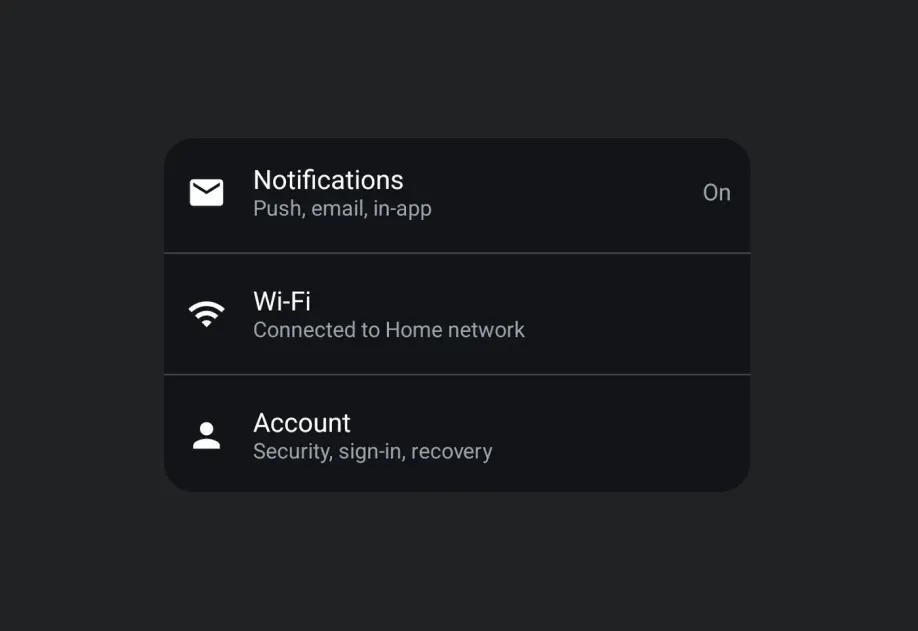
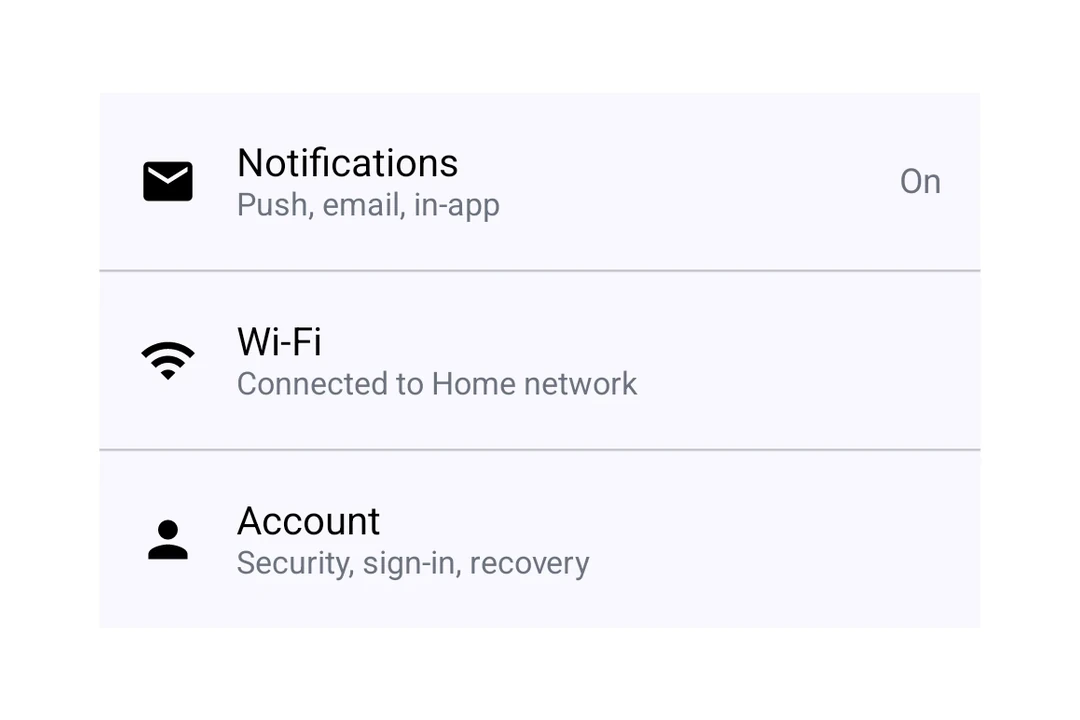
用于显示结构化列表条目的 Jetpack Compose ListItem 组件。
Android
Included in Expo Go
For the complete documentation index, see llms.txt. Use this file to discover all available pages.
Expo UI ListItem 与官方 Jetpack Compose ListItem API 保持一致,用于带有标题、辅助、上方、前置和后置内容槽位的结构化列表项。
安装
Terminal
- npx expo install @expo/uiIf you are installing this in an existing React Native app, make sure to install expo in your project.
用法
基础列表项
BasicListItem.tsx
import { Host, ListItem, Text } from '@expo/ui/jetpack-compose'; export default function BasicListItem() { return ( <Host matchContents> <ListItem> <ListItem.HeadlineContent> <Text>设置</Text> </ListItem.HeadlineContent> </ListItem> </Host> ); }
使用复合组件
使用复合组件在每个位置放置丰富内容。
ListItemWithCompoundComponent.tsx
import { Host, ListItem, Icon, Text } from '@expo/ui/jetpack-compose'; export default function ListItemWithSlots() { return ( <Host matchContents> <ListItem> <ListItem.HeadlineContent> <Text>通知</Text> </ListItem.HeadlineContent> <ListItem.OverlineContent> <Text>账户</Text> </ListItem.OverlineContent> <ListItem.SupportingContent> <Text>管理通知偏好</Text> </ListItem.SupportingContent> <ListItem.LeadingContent> <Icon source={require('./assets/notifications.xml')} /> </ListItem.LeadingContent> <ListItem.TrailingContent> <Icon source={require('./assets/chevron.xml')} /> </ListItem.TrailingContent> </ListItem> </Host> ); }
可点击列表项
使用 clickable 修饰符来处理点击交互。
ClickableListItem.tsx
import { Host, ListItem, Text } from '@expo/ui/jetpack-compose'; import { clickable } from '@expo/ui/jetpack-compose/modifiers'; export default function ClickableListItem() { return ( <Host matchContents> <ListItem modifiers={[clickable(() => console.log('已点击!'))]}> <ListItem.HeadlineContent> <Text>点我</Text> </ListItem.HeadlineContent> </ListItem> </Host> ); }
自定义标题内容
使用 ListItem.HeadlineContent 来构建可组合的标题内容,例如带图标的行。
ListItemCustomHeadline.tsx
import { Host, ListItem, Text, Row, Icon } from '@expo/ui/jetpack-compose'; export default function ListItemCustomHeadline() { return ( <Host matchContents> <ListItem> <ListItem.HeadlineContent> <Row horizontalArrangement={{ spacedBy: 8 }} verticalAlignment="center"> <Text>高级功能</Text> <Icon source={require('./assets/star.xml')} size={16} /> </Row> </ListItem.HeadlineContent> </ListItem> </Host> ); }
API
import { ListItem } from '@expo/ui/jetpack-compose';
Component
Type: React.Element<ListItemProps>
A list item matching Compose's ListItem.
Optional • Type:
number • Default: ListItemDefaults.ElevationShadow elevation in dp.
Types
Colors for list item elements, matching ListItemDefaults.colors().
| Property | Type | Description |
|---|---|---|
| containerColor(optional) | ColorValue | - |
| contentColor(optional) | ColorValue | - |
| leadingContentColor(optional) | ColorValue | - |
| overlineContentColor(optional) | ColorValue | - |
| supportingContentColor(optional) | ColorValue | - |
| trailingContentColor(optional) | ColorValue | - |