This documentation is available as Markdown for AI agents and LLMs. See the full Markdown index or append .md to any documentation URL.
This is documentation for the next SDK version. For up-to-date documentation, see the latest version (SDK 57).
BottomSheet
一个从屏幕底部滑出的模态面板。
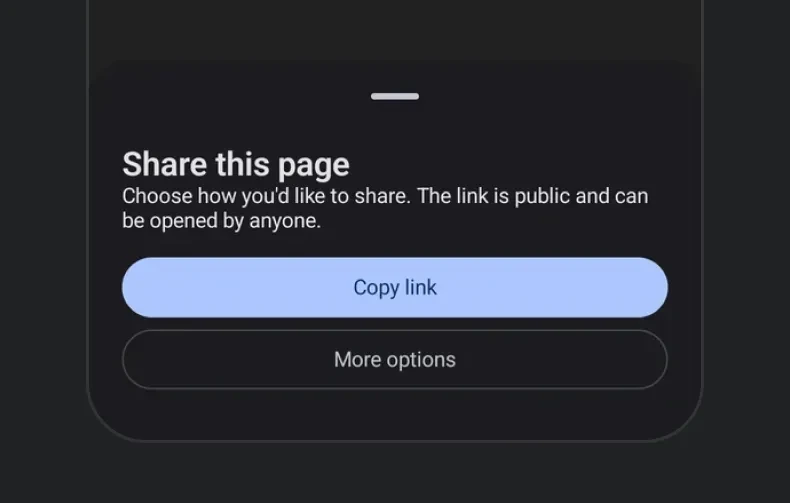
一个从屏幕底部滑出的模态面板。该面板的可见性是受控的——通过 React 状态切换 isPresented,并通过 onDismiss 将其关闭(当用户向下滑动或点击遮罩层时触发)。

安装
If you are installing this in an existing React Native app, make sure to install expo in your project.
使用
基础底部弹出面板
隐藏拖动指示器
对于没有把手的面板,传入 showDragIndicator={false}。
内容内边距
面板默认会为其内容添加内边距。传入 contentPadding 可更改该内边距——0 可让行、图片或分隔线延伸至面板边缘。
停靠点
传入 snapPoints,以便用户在多个停靠高度之间拖动面板。为了跨平台保持一致,你可以使用语义值 'half' 和 'full'。{ fraction } 和 { height } 这两种形式在 iOS 和 web 上会被精确遵循。
当面板内容可能比最小停靠点更高时,请将其包裹在 ScrollView 中,以便溢出内容能够正确滚动。
在 Android 上,
{ fraction }和{ height }会停靠到最接近的'half'/'full'位置——底层的ModalBottomSheet仅支持两种静止状态。只有当内容足够高、超过 Material 的部分展开阈值时,才会显示部分展开状态;如果短内容也需要半高状态,请为内容指定明确的高度或让其填满可用空间。
可滚动的 React Native 内容
底部弹出面板支持将 React Native 列表(例如 FlatList,或高性能列表如 FlashList 或 Legend List)作为子组件使用,但需要包裹在 RNHostView 中。snapPoints 用于决定面板高度,列表会在该高度内滚动。启用 nestedScrollEnabled 后,列表会优先滚动自身内容;当滚动到顶部边缘后,剩余的拖动会移动面板。
API
import { BottomSheet } from '@expo/ui';
Component
Type: React.Element<BottomSheetProps>
A modal sheet that slides up from the bottom of the screen.
Props for the BottomSheet component, a modal sheet that slides up from the bottom of the screen.
ColorValueThe sheet's own background color, painting its full chrome (including the drag-indicator zone and, on iOS, the home-indicator safe-area inset). When omitted, each platform keeps its own default.
This only paints the background. children are React Native views on
every platform, so they don't pick up a contrasting text color
automatically -- set one explicitly if you use a dark containerColor.
ColorValueThe preferred color for native Compose content that doesn't set its own
color. Doesn't reach a BottomSheet's (React Native) children -- see
containerColor's doc.
BottomSheetContentPaddingPadding between the sheet and children, in dp on Android, points on iOS, and
CSS pixels on web. Pass 0 for content that reaches the sheet's edges.
When omitted, each platform keeps the inset it applies by default.
Example
``contentPadding={0} — full-bleed content
Example
``contentPadding={{ top: 8, bottom: 24 }} — no horizontal inset
ModifierConfig[]Platform-specific modifier escape hatch. Pass an array of modifier configs
from @expo/ui/swift-ui/modifiers or @expo/ui/jetpack-compose/modifiers.
() => voidCalled when the bottom sheet is dismissed by the user (e.g. swiping down or tapping the overlay).
ColorValueThe color of the scrim overlay rendered behind the bottom sheet.
Pass 'transparent' to make the backdrop invisible while still blocking touches.
boolean • Default: trueWhether pressing the Android hardware back button (or back gesture) dismisses the bottom sheet.
When false, the back press does not dismiss the sheet (note: the press still does not reach
React Native's BackHandler).
boolean • Default: trueWhether tapping the backdrop (scrim) dismisses the bottom sheet.
When false, the sheet stays open until the user explicitly closes it (e.g. via a button).
boolean • Default: trueWhether to show a drag indicator at the top of the sheet.
SnapPoint[]Heights the sheet can rest at.
When omitted, the sheet auto-sizes to its content.
See SnapPoint for the supported values.
Example
``['half', 'full'] — draggable between half and full
Example
``['full'] — always full height
Types
Padding between a BottomSheet and its content — a single value applied to every
edge, or per-edge values where an edge that is left out is 0.
Type: number or object shaped as below:
A snap point describing one of the heights a BottomSheet can rest at.
'half'— Approximately half-screen.'full'— Fully expanded.{ fraction }— A fraction of the screen height (0–1). iOS / web only.{ height }— A fixed pixel height. iOS / web only.
On Android, { fraction } and { height } snap to the nearest of 'half' / 'full'.
See the component docs for platform behavior notes.
Type: 'half' or 'full' or object shaped as below:
Or object shaped as below: