Reference version

This is documentation for the next SDK version. For up-to-date documentation, see the latest version (SDK 56).

可折叠

一个带标签的可点击标题,用于切换其内容的可见性。

Android
iOS
Web
Included in Expo Go

For the complete documentation index, see llms.txt. Use this file to discover all available pages.

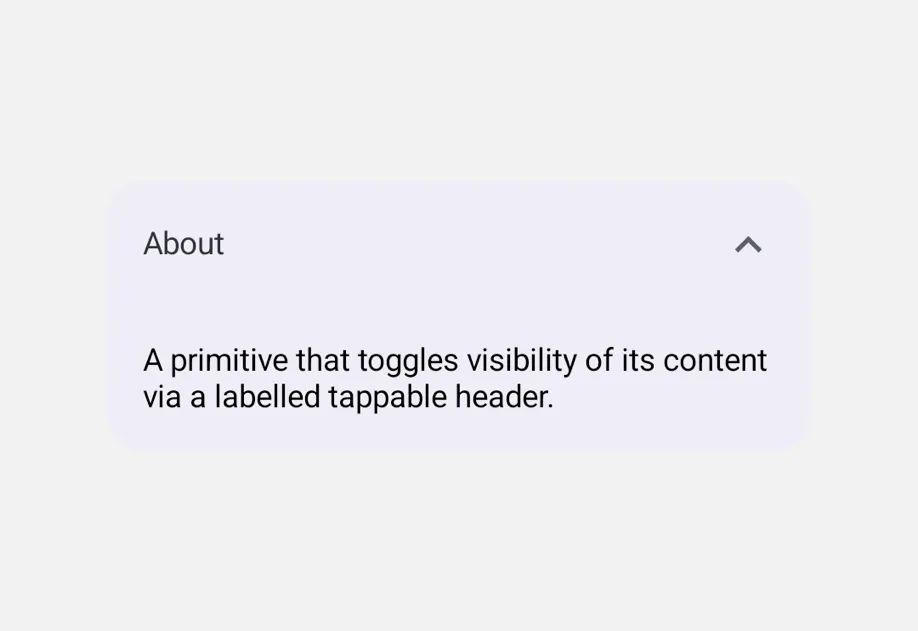
Collapsible 是一个原语,通过点击带标签的标题来显示或隐藏其内容。可通过 isOpenonOpenChange 进行控制——每个 Collapsible 都管理彼此独立的状态。
安装

Terminal
npx expo install @expo/ui

If you are installing this in an existing React Native app, make sure to install expo in your project.

用法

基本折叠组件

CollapsibleExample.tsx
import { useState } from 'react'; import { Host, Column, Collapsible, Text } from '@expo/ui'; export default function CollapsibleExample() { const [open, setOpen] = useState(false); return ( <Host style={{ flex: 1 }}> <Column spacing={8} style={{ padding: 16 }}> <Collapsible isOpen={open} onOpenChange={setOpen} label="关于"> <Text> 一个通过带标签且可点击的标题来切换其内容可见性的原语。 </Text> </Collapsible> </Column> </Host> ); }

手风琴(同一时间只展开一个部分)

将每个 CollapsibleisOpen 绑定到一个共享的父级值。该组件不会强制互斥——如何组合由使用者决定。

CollapsibleAccordionExample.tsx
import { useState } from 'react'; import { Host, Column, Collapsible, Text } from '@expo/ui'; type Section = 'a' | 'b' | 'c' | null; export default function CollapsibleAccordionExample() { const [openSection, setOpenSection] = useState<Section>('a'); return ( <Host style={{ flex: 1 }}> <Column spacing={8} style={{ padding: 16 }}> <Collapsible isOpen={openSection === 'a'} onOpenChange={open => setOpenSection(open ? 'a' : null)} label="部分 A"> <Text>打开 B 或 C 会关闭此项。</Text> </Collapsible> <Collapsible isOpen={openSection === 'b'} onOpenChange={open => setOpenSection(open ? 'b' : null)} label="部分 B"> <Text>打开 A 或 C 会关闭此项。</Text> </Collapsible> <Collapsible isOpen={openSection === 'c'} onOpenChange={open => setOpenSection(open ? 'c' : null)} label="部分 C"> <Text>打开 A 或 B 会关闭此项。</Text> </Collapsible> </Column> </Host> ); }

API

import { Collapsible } from '@expo/ui';

Component

Collapsible

Android
iOS
Web

Type: React.Element<CollapsibleProps>

A primitive that toggles visibility of its content via a labelled tappable header. Controlled via isOpen + onOpenChange.

Props for the Collapsible component, a primitive that shows or hides its content with a tap on a labelled header.

CollapsibleProps

children

Android
iOS
Web
Optional • Type: ReactNode

Content rendered when isOpen is true.

isOpen

Android
iOS
Web
Type: boolean

Whether the content is currently expanded.

label

Android
iOS
Web
Optional • Type: string

Text rendered in the tappable header.

labelStyle

Android
iOS
Web
Optional • Type: { color: string, fontFamily: string, fontSize: number, fontWeight: 'normal' | 'bold' | '100' | '200' | '300' | '400' | '500' | '600' | '700' | '800' | '900', letterSpacing: number, lineHeight: number, textAlign: 'center' | 'left' | 'right' }

Text-specific styling for the tappable header label.

onOpenChange

Android
iOS
Web
Type: (isOpen: boolean) => void

Called when the user taps the header to toggle the open state.